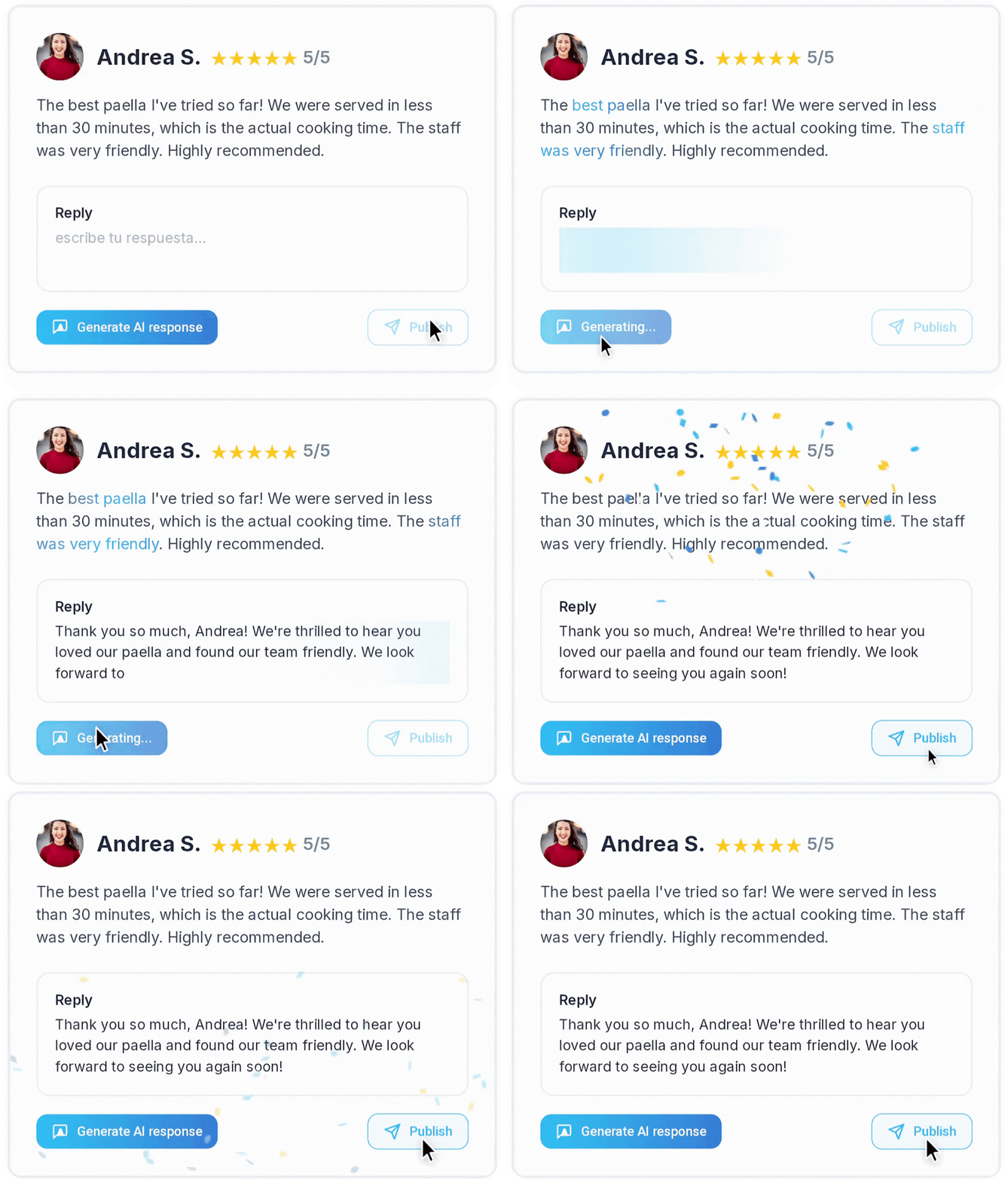




If you need someone else to manage your Google Business Profile, such as an agency, employee, or community manager, you do not need to share your password. Google allows you to add users with different access levels so each person can manage the profile securely from their own account.
Steps to Give Access to Your Google Business Profile
1. Sign in with the owner account
Sign in to Google using the account that currently owns the Business Profile through this link:
https://business.google.com/business-profile
It is important to use the correct account, since only owners can add or remove users.
2. Search for your business on Google
Once you are signed in, search for your business name directly on Google. If you have access to the profile, you will see the business management panel in the search results.
You can also access it from the Google Business Profile Manager.
3. Open the profile settings
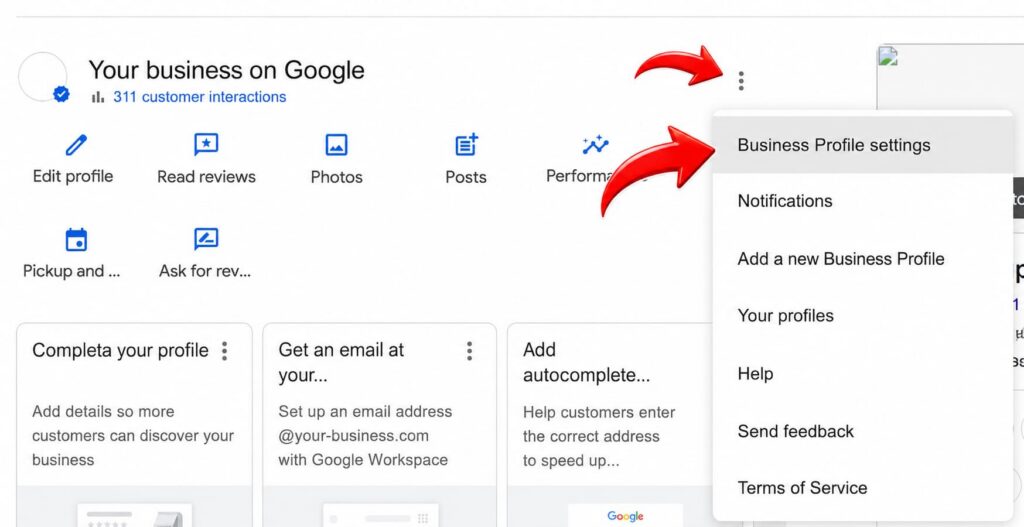
Inside the management panel, click the More icon or the three-dot menu. Then select:
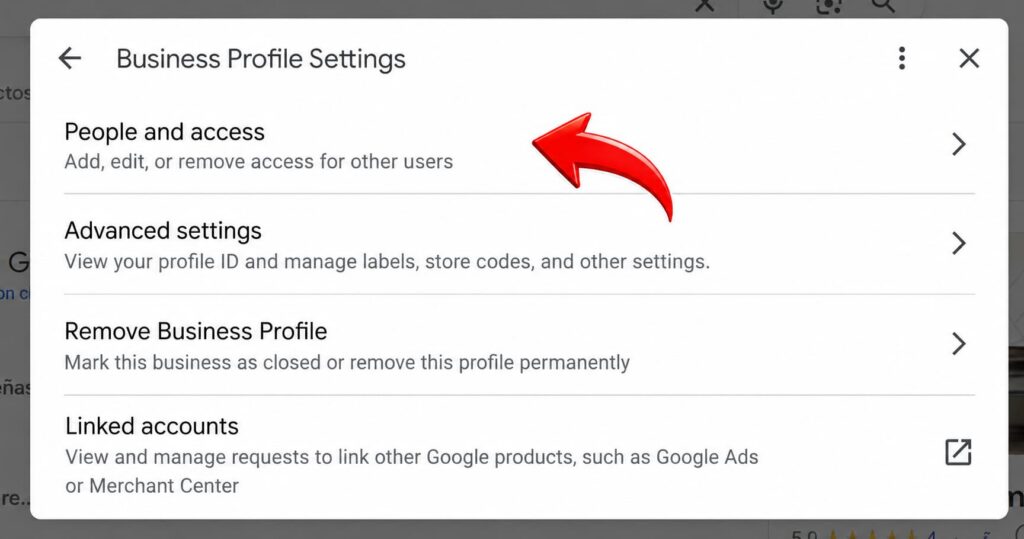
Business Profile settings > Users and access
From this section, you can see who currently has access to the profile and add new users.
4. Add a new user
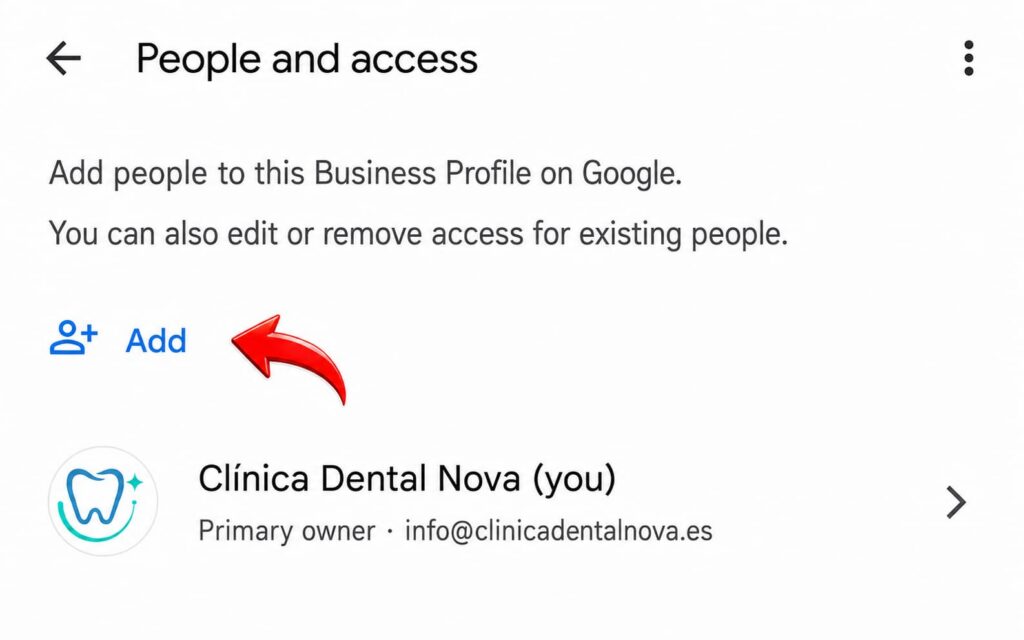
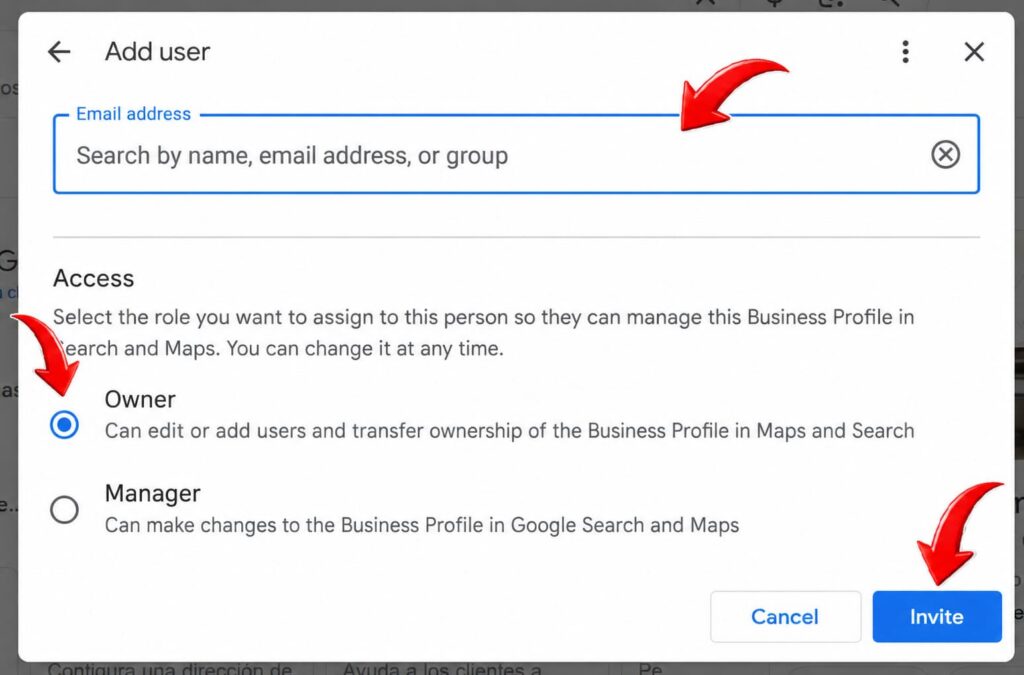
Click Add and enter the email address of the person you want to give access to. That email must be associated with a Google account.
Then, select the type of access you want to grant:
Owner: has full control over the profile. Owners can manage business information, add or remove users, and even remove the profile.
Manager: can handle most day-to-day actions, such as editing information, replying to reviews, uploading photos, or publishing updates, but cannot add or remove users or remove the profile.
In most cases, especially when giving access to an agency, employee, or external provider, assigning the Manager role is usually the safest option.
5. Send the invitation
Once you have selected the role, click Invite. The other person will receive an email invitation to accept access. After accepting it, they will be able to start managing the Business Profile according to the permissions assigned.
Important Tips Before Giving Access
Giving access to your Google Business Profile is very useful, but it should be done carefully. Do not add owners unless it is strictly necessary. The owner role has much more control than the manager role, so it should only be reserved for people you fully trust.